Guides
Voice-first: why a NetShow Alive avatar talks before you type
Ask Mrs. NetShow about this
Press Talk and ask Mrs. NetShow anything about this post. Your microphone opens only when you press Talk.
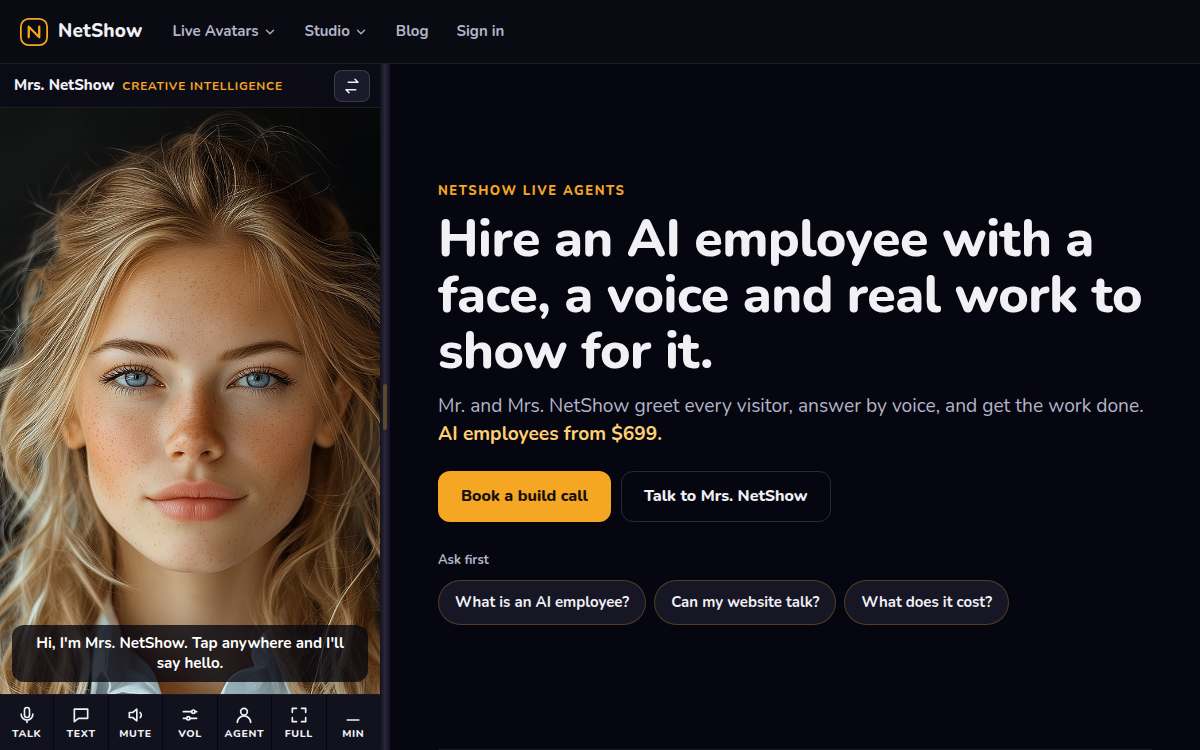
Most software that talks to you still expects you to type. A box appears, a cursor blinks, and the whole conversation waits on your fingers. NetShow Alive starts from the other end. The avatar has a face and a voice, and it is built to be spoken with. Typing is there when you need it. It is not the front door.
This post explains what voice-first means for an Alive avatar, what it looks like on our pages today, and where the edges are.
What voice-first means
Voice-first is a promise about the default, not a ban on the keyboard. It means three things.
The first invitation is to talk. When the Alive dock opens on one of our pages, the largest button in it says "Tap to talk", and the line under it says "You can type, or tap to use your microphone." The order of those words is deliberate.
The avatar sounds like someone. A face that moves while it speaks is easier to listen to than text that scrolls, and a voice carries tone that text flattens. When the agent's voice is the browser's own speech, the dock speaks the greeting aloud as the page opens, as long as the browser allows sound. If the browser blocks sound until you interact, the greeting stays on screen and the invitation waits for you.
Your hands are free. Talking works while you are doing something else: cooking, driving to a job, holding a child, walking between rooms. A conversation you can have without looking down is a conversation you can have more often.
Why voice, and why first
People explain things better out loud. Ask someone to type what they need and you get three words; ask them to say it and you get the whole story, including the part that matters. For an agent whose job is to understand what a visitor came for, that difference is most of the job.
Voice is also more human in the way that counts here. A text box is a form. A face that greets you and a voice that answers is a conversation. Visitors who would never click a help bubble will answer a question they are asked.
And voice matches the face. An Alive avatar blinks, listens and moves its mouth when it speaks. Pairing that face with a silent text box wastes it. The face and the voice are meant to arrive together.
What it looks like today
On our own pages, voice-first shows up in a few concrete places.
- The dock. Our public pages, including this blog, carry the Alive dock with Mrs. NetShow, our host. It starts collapsed, may open by itself on a wide screen, and never opens over the sign-in or account pages. Its main button is "Tap to talk".
- The voice lane shown plainly. The dock tells you which voice is in use. On our front door it reads "voice: local · $0": the browser's own speech, at no cost.
- Meet the hosts. On the Meet page, Mr. and Mrs. NetShow greet you in preview. Their faces move at no cost to you. Their live model voice opens with a free account on the live stage, and the page says so in as many words.
- The stage asks before it listens. On the stage where both hosts appear together, the banner is explicit: no microphone or live conversation starts until you accept an invitation. Voice-first never means a microphone that opens by surprise.
The edges, honestly
Voice-first has limits today, and they are worth knowing.
Live model voice for strangers is not open yet. A visitor can hear a greeting in the browser's own voice and can tap to use their microphone in the dock, but the live model voice on the hosts' stage opens with a free account. That line is on the Meet page, not hidden in a footnote.
Browsers decide about sound. Many browsers block audio until you have tapped or clicked something on the page. When that happens, the avatar's greeting appears as text, and the conversation waits for you to tap to talk. That is the browser protecting you from noisy pages, and we would rather respect it than work around it.
Some moments are for typing. A quiet office, a train, a password, a long address. The box to type in is always there, and the avatar answers the same way either way. Voice-first means the avatar leads with voice; it does not mean you have to.
Where this is going
Our direction is simple: the avatar should feel like someone you talk to, hands free, from the moment the page opens. Typing becomes the option you reach for, not the thing you are handed. Each release moves a little further that way, and the next article in this series, on why the avatar speaks first and what it means for it to drive the page, picks up where this one stops.
If you want to hear it for yourself, open the Alive page or the front door and tap to talk. It costs nothing and needs no account.
FAQ
Do I have to talk to use a NetShow Alive avatar?
No. Voice is the default invitation, not a requirement. The box to type in is always there, and the avatar answers typed messages just as it answers spoken ones.
Will the avatar turn my microphone on by itself?
No. The microphone opens when you tap to talk, and your browser asks your permission first. On the hosts' stage the banner says it directly: no microphone or live conversation starts until you accept an invitation.
Why did the greeting appear as text instead of sound?
Most browsers block sound on a page until you have interacted with it. When that happens the greeting stays on screen, and tapping to talk starts the conversation. It is the browser's rule, and the avatar respects it.
What does "voice: local · $0" in the dock mean?
It means the voice you are hearing is your browser's own speech, produced on your device, so it costs nothing. The dock shows the voice lane in use so there is no guessing about what is speaking or what it costs.
Put a live avatar on your business
Everything above is what a NetShow Alive face does on our own pages, and your business can have the same. The AI Front Desk is a living AI employee with a face and a voice. It greets every visitor to your website by voice first and says plainly that it is an AI (see a host greet). It answers from your own information and books the next step: a call, a visit or a callback request. We build it for you, from $699 a month, with setup quoted: your exact price is set in writing after the build call.
If you would rather start on your own, open the plans page. The free plan and the paid plans are listed there, and you can put a face on your first agent today.